
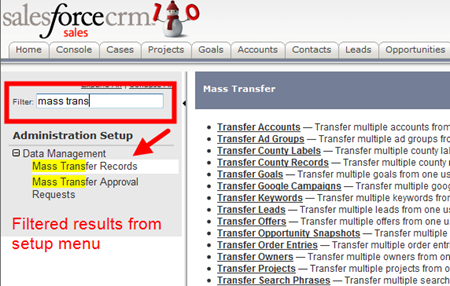
Even when I remember specifically where each submenu lives within the Salesforce setup, searching for me is more intuitive and faster, which is why I was super excited to read this post from Jeff Grosse (@CRMFYI). This Greasemonkey script adds a search menu to the Salesforce setup window and filters the setup menu on the fly:
What you need:
FF 3.5+
Setup Enhancer Greasmonkey Script
Notes:
Make sure that Greasemonkey is installed and you’ve restarted Firefox before attempting to install the Setup Enhancer script.
You can post enhancement requests to the discussion board of the script.

